
Card application checklist
RedotPay card application Bangladesh
Choose virtual or physical card only after checking Bangladesh availability, KYC, live card fee, BDT cost and local wallet confusion.
Card fee benefit may vary. Confirm live fees, KYC and country support before payment.
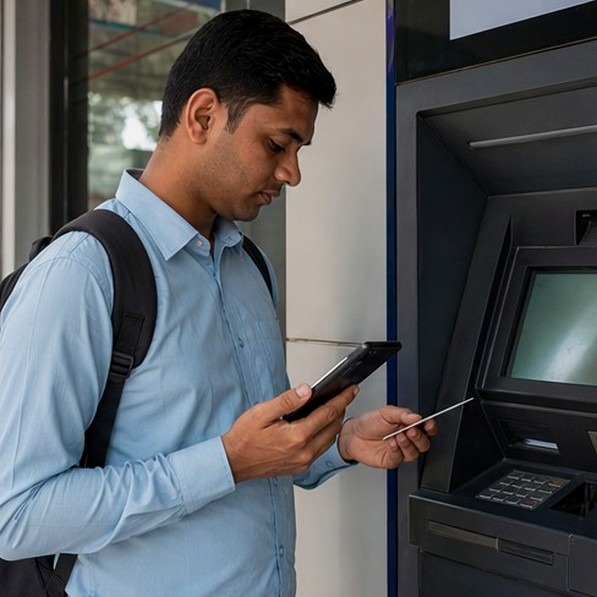
Bangladesh checklist
RedotPay card application Bangladesh
Choose virtual or physical card only after checking Bangladesh availability, KYC, live card fee, BDT cost and local wallet confusion.
- For this card question, compare virtual card, physical card, fee and KYC before applying.
- Check delivery, online-use need, BDT total and refund expectations before payment.
- Apply after the live card screen is clear; for RedotPay card application Bangladesh, keep OTP, password, full card details and KYC files out of helper chats.
Guide
What RedotPay is
RedotPay is a card and app-based payment product for people who want international card-style payments, crypto deposits and online spending from one account.
For Bangladesh, the practical question is not only can I open it. The real question is whether the current app flow supports your country, whether KYC passes, and whether the total BDT cost makes sense for your use case.
- Install from a verified app source, not a shared APK or social media link.
- Check if Bangladesh appears correctly in the current app flow.
- Keep a screenshot of the fee and card type before paying.
Checks
Can Bangladesh users use it?
Bangladesh users should treat availability as a live app check. Country support, KYC status, card fee and supported payment routes can change, so the app screen matters more than any old screenshot.
Before adding money, check whether your account can complete verification, whether the card type you want is available, and whether the total BDT cost still makes sense.
If your practical question is RedotPay card apply Bangladesh, use the same order: source check, KYC readiness, card type, live fee screen, BDT total and saved receipt before payment.
- Use the official RedotPay source before creating an account.
- Check country support and card availability inside the app.
- Start small until KYC, fee and support routes are clear.
Checks
Virtual card or physical card
A virtual card is usually the cleaner first step for online payment, subscriptions, ad accounts and dollar card needs. It is faster to check, easier to stop, and does not depend on delivery.
A physical card matters if you need POS, travel or ATM-style use. Before choosing it, check shipping, PIN, country support, ATM fees and whether local cash withdrawal is actually useful for you.
- Virtual card: online checkout, Netflix, Spotify, Google Ads, Facebook Ads and freelancer tools.
- Physical card: POS, travel and ATM needs where supported.
- Dollar card users should check BDT-to-USD cost and FX fee first.
Checks
Card fee: $10 virtual and $100 physical checks
Many Bangladesh users compare the $10 virtual card fee and $100 physical card fee mentioned in guides. Treat those numbers as a pre-check, not a promise. The live RedotPay app checkout is the final price.
Before paying, calculate the BDT total with exchange rate, network fee, FX fee and any buffer you may need for the first payment.
- Check card fee before funding the account.
- Virtual card usually fits online checkout and subscription use first.
- Physical card needs delivery, PIN, ATM or POS checks before payment.
- Calculate the BDT cost after exchange rate, network fee and FX fee.
Checks
Special card fee benefit
If the current app checkout shows the promotion, the card issuance fee may be reduced by 20%. This is useful only after the card type, KYC status and final fee screen are already clear.
Do not rely on old screenshots. Open RedotPay, review the current checkout screen, and treat the app value as final before paying.
- Check the 20% card fee benefit on the live app screen.
- Compare the discounted fee with the total BDT cost.
- Calculate the BDT cost after exchange rate, network fee and FX fee.
Checks
KYC requirement
Plan as if KYC may be required before card, deposit or limit decisions. Use your own identity details and clear document or selfie photos only.
Do not buy verification help, rent an account or send KYC files to someone in a social group. Those shortcuts can create account and privacy risk.
- Prepare your own document and matching profile details.
- Check document photo quality before submitting.
- Stop if a helper asks for OTP, login, full card details or KYC files.
Checks
bKash, Nagad and Rocket are context, not a shortcut
Bangladesh users naturally compare RedotPay with bKash, Nagad and Rocket because those wallets are familiar. That does not mean a direct wallet top-up or cash-out route exists for your account.
If you use any exchange or local payment step outside the app, keep it separate from RedotPay account access. Never give OTP, login, full card details or KYC files to a middleman.
- Check the app route first.
- Use a small test only after KYC and fee screens are clear.
- Save TXID, receipt, timestamp and merchant or exchange name.
Checks
Safety check before final application
A clean card application is slow at the start and faster later. Check app source, country screen, KYC, card fee, BDT total and support route before the first payment.
Stop if a seller promises guaranteed approval, a cheap unlock, direct wallet magic or asks for account access. Those are not normal card application steps.
- No OTP sharing.
- No KYC file sharing outside the app.
- No large deposit before the card and support route are clear.
Checks
Card decision context for Bangladesh
A visitor reading RedotPay card application Bangladesh needs a practical Bangladesh answer, not a generic product overview. This page keeps card type, card fee, KYC, delivery or online-use need close to the decision so the next action is not guessed from a comment thread.
For a Dhaka user, this card question can be affected by seller posts, old videos or partial group advice. Compare the RedotPay card application Bangladesh claim with the live RedotPay app before sharing account details, paying a card fee or moving funds.
Use this card context to choose whether to apply, compare fees or finish KYC first. If the app screen and the RedotPay card application Bangladesh claim do not match, pause and use the related guide before continuing.
Checks
Practical Bangladesh checklist
Before applying, decide whether the real need is online payment, delivery, ATM/POS use or a dollar-card alternative.
The card path should show card type, KYC, fee and BDT cost clearly before any card fee is paid.
Choose the card type only after the fee, KYC and delivery or online-use need are clear. Review fee, FX and support together.
If delivery, physical-card fee or online merchant acceptance is unclear, use the fee and support pages before continuing.
Card decisions are clearer when online USD use, physical delivery, ATM needs and the BDT total are compared together. A Sylhet user can then choose the virtual or physical path without rushing the fee screen.
For Bangladesh, keep the decision grounded in the current app screen, local BDT cost, available receipt trail and support evidence. That makes the page useful for a Dhaka buyer, a Chattogram freelancer or a student checking the card from a shared phone.
After reading, choose whether the next step is the application page, fee page or KYC page.
- Compare virtual and physical card needs.
- Check fee, KYC and BDT total before applying.
- Use delivery and PIN checks for physical card decisions.
- Use merchant and 3DS checks for virtual card decisions.
Quick table
Card decision context for Bangladesh: what to check first
| Step | What to check | Bangladesh note |
|---|---|---|
| 1 | Official app source | No APK, no fake app, no Telegram seller. |
| 2 | KYC | Use your own real identity and clear document photos. |
| 3 | Card type | Virtual for online; physical only if delivery, ATM and POS make sense. |
| 4 | Fee | $10/$100 style pricing must be checked in the app. |
| 5 | BDT cost | Add card fee, crypto network cost, FX fee and rate difference. |
| 6 | First payment | Small test first. Save receipts and TXID. |
FAQ
Bangladesh questions, short answers
Card type, fee and KYC screens can change, so check the app before applying.
Can Bangladesh users apply for a RedotPay card?
They should first confirm current country support inside the official RedotPay app. Availability, KYC and card fees can change, so do not rely on old screenshots.
Which is better in Bangladesh, virtual or physical card?
Most online payment and dollar card questions should start with the virtual card checklist. Physical card only makes sense if delivery, ATM, PIN and POS use are clear.
Is the card fee discount automatic?
Open RedotPay, then confirm the actual benefit on the checkout screen before paying any card fee.
Can I pay the card fee from bKash or Nagad?
Do not assume that. RedotPay is separate from local Bangladesh wallets. Use only payment or deposit routes shown by the official app.
Is RedotPay card Bangladesh safe to try?
Use official RedotPay sources, verify KYC and fee screens, start with small amounts and avoid anyone asking for OTP, password or KYC files outside the app.
Next step
Ready to apply carefully?
For this card question, apply only after the live fee, KYC and BDT total are clear.
Confirm the live app screen first.